













Cubby Soccer League — Play Free Online
Editorial — Games on this site are played and written up by the Super Liquid Soccer team before we publish. We are independent and not paid by game developers to list titles.
Reviewed by Marcus Chen (Lead Editor) and Elena Vasquez (Games Writer). Testing covers Chrome/Firefox/Safari on desktop plus iOS Safari and Android Chrome where the title supports touch. Standards: Editorial Policy.
At a glance
- Arrow keys for lateral movement; Spacebar for forward and shooting
- Stamina system limiting repeated Space bursts
- Dedicated goalkeeper control with arrow keys
- Penalty shootout sequences
Why we recommend it
Cubby Soccer League is a gentle intro to stamina football—Spacebar timing beats button mashing.
About Cubby Soccer League
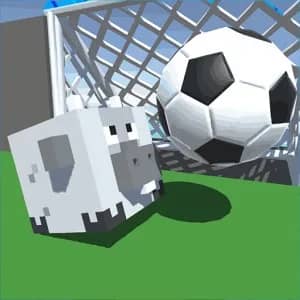
Cubby Soccer League wraps approachable soccer in a cute HTML5 package with a stamina twist. Arrow keys slide your cub player left and right; Spacebar drives forward and doubles as the shoot button on attacks and penalties. Stamina drains on bursts—push Space too often and your cub slows at the worst moment. Goalkeeper segments swap control: arrows move the keeper across the line while you react to incoming shots. Mobile mirrors with on-screen direction keys, a ball icon for forward/shoot, and color taps on the goal for keeper saves. Matches blend outfield dribble pressure with dedicated penalty phases. It is lighter than sim titles but stamina routing adds a decision layer missing from pure arcade kickers.
Spacebar forward is both mobility and shot—tap rhythm matters. Empty stamina bar means no burst to close down counters. Keeper phase rewards pre-positioning on near post before shot animation starts.
If you like this style of play, try Rocket Soccer Derby, 2 Minute Football and Authentic Football —all free to play in the browser, no download required.
Game Features
- Arrow keys for lateral movement; Spacebar for forward and shooting
- Stamina system limiting repeated Space bursts
- Dedicated goalkeeper control with arrow keys
- Penalty shootout sequences
- Mobile direction keys and ball icon controls
- Color-tap keeper saves on touch devices
- Cute HTML5 presentation in browser
How to Play
- Move left/right with arrow keys on desktop
- Press Spacebar to dash forward and to shoot when attacking
- Monitor stamina—avoid spamming Space in midfield
- In keeper phase, use arrows to cover post before kick animation
- On mobile, use direction keys and ball icon for movement/shots
- Tap goal colors on mobile to position keeper for saves
Tips & Tricks
- Save Space bursts for final third entries, not touchline jogs
- When stamina is low, play wide arrows instead of forcing central dash
- Keeper: cheat slightly toward shooter's planted foot side
- Penalties: same Space timing as open play—do not overhold
- Mobile keeper colors map to zones—learn left-center-right taps
Advanced Strategies
- Half stamina entering opponent half is ideal—spend rest on shot
- Defend by lateral arrows only until they enter shooting range
- Penalty rounds: watch run-up speed before Space commit
- If leading, drain opponent stamina by forcing sideways arrows
- Stamina regen during slow phases—use dead ball moments
Game Modes
- League Match: Outfield plus keeper phases with stamina
- Penalty Series: Spacebar shot and arrow keeper saves
- Mobile Touch: Parallel control scheme on phones
Frequently Asked Questions
Why does my player slow down?
Stamina depleted from repeated Spacebar forward dashes. Wait for partial regen.
Same button for run and shoot?
Yes—Spacebar handles forward movement and shots depending on context.
How do keeper controls work on mobile?
Tap colored zones on the goal to move the keeper before the shot.
Is this multiplayer?
Primarily solo league play against AI with penalty segments.
Why Play This Game
- Stamina adds resource management to simple arrow controls
- Keeper segments break up outfield monotony
- Mobile color-tap saves are intuitive for kids and casual players
- No install HTML5 performance
Game Screenshots
Game Review
Based on player reviews and gameplay experience
Graphics & Visuals: Cute cub characters—clear UI for stamina bar.
Gameplay Experience: Space-plus-stamina loop teaches burst discipline.
Replay Value: League structure and penalties extend cute aesthetic beyond one match.
Similar Games You Might Enjoy
Browse all games on Super Liquid Soccer.


Game Information
- Game Type: Soccer / Sports Game
- Platform: Web Browser (desktop & mobile)
- Price: Free to play, browser-based
- Last Updated: July 16, 2026
- Language: English
Getting Started with Cubby Soccer League
Play one half focusing only on stamina bar readings
Practice three Space shots without sprinting between
Run keeper drill: ten arrow saves without outfield
Try mobile after learning desktop Space rhythm
Enter league once keeper and outfield both feel familiar
Understanding Cubby Soccer League's Core Mechanics
Spacebar context-switches dash and shot
Stamina regens when not bursting—plan recovery windows
Keeper phase isolates lateral arrow skill
AI pressure increases shot frequency required late league
Advanced Strategy Guide for Cubby Soccer League
Bait AI tackle by arrow feint, then Space burst opposite
Penalty mind games: delay Space until keeper pre-moves
Stamina deny: force AI wide with arrows, let them waste Space
Mobile keeper: pre-tap color before animation, not after
What Makes Cubby Soccer League Stand Out
Stamina on such a simple control scheme is uncommon
Integrated keeper and outfield phases in one league
Mobile color keeper UI stands out
Comments (0)
Loading comments...